





Five Nights at Frickbear's 3



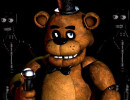














About Five Nights at Frickbear's 3
Forget everything you expect from a normal pizza restaurant. Five Nights at Frickbear's 3 is a 2.5D horror fangame made by SpookyRick, released on Game Jolt in March 2026. Its world mixes silly moments with some seriously dangerous encounters. You work the night shift, but the real trouble begins when over 40 animatronics start moving around the building. How you prepare before clocking in can make a huge difference.
What Should You Do to Stay Alive?
Create Your Own Nighttime Problem
You get to explore deserted locations with Psychic Friend Fredbear before going back to the office. Look around, solve puzzles, and decide which animatronics are worth bringing back to life. Here’s the catch: every successful salvage makes your next shift harder. Collecting everything might sound tempting, but facing too many enemies without proper preparation is a quick way to lose control.
Act Before Things Get Out of Hand
The security room isn't a place to sit and watch. Enemies can come from different paths, so you need to switch between camera feeds and check the vents. A closed door can stop an incoming threat, but keeping it shut for too long wastes valuable power.
Other tools have their own purpose. The Freddy mask can fool certain animatronics, while the flashlight helps reveal activity in dark areas. Ventilation also needs attention, especially when temperatures begin rising. One useful habit is to check the office conditions whenever you switch camera feeds rather than waiting until something goes wrong.
Spend Rewards and Explore New Stories
Tokens earned during shifts and arcade activities such as Fred Sweeper can be exchanged for upgrades. Some improvements stay with you, while others only help during one night. The Four Layers Down expansion takes things further with Jeremy, Mike, Vanessa, and Fritz. Its Purgatory storyline introduces Brave Tower, Shuffler Mode, new enemies, and secret boss encounters. If ordinary nights feel too easy, Frick Bear 40's 40/20 challenge offers a much tougher test.
Keyboard and Mouse Controls
Mouse: Move your view around the office.
Left Click: Select cameras and interact with menus.
A / D: Open or close the side doors.
W: Put on or take off the Freddy mask.
Z: Switch on the flashlight.
X: Control the ventilation fan.
Spacebar: Skip dialogue and use quick actions.
Other Scary Games Worth Playing
Take the Night Shift!
A quiet restaurant is the last thing you'll find here. Head over to thatsnot-myneighbor.io and give Five Nights at Frickbear's 3 a try. Make your choices carefully, watch those cameras, and see how long you last!